MCP Nexus
An open-source local hub for the Model Context Protocol, with a dashboard that shows every JSON-RPC message between an AI model and its tools as it happens.
Project facts
- Model providers
- Claude, Gemini, OpenAI, Ollama
- Built-in tools at launch
- 21 tools, 2 resources
- Tests after the core build
- 50
- A new plugin
- under 20 lines
- Ways in
- Dashboard, HTTP, stdio
- Storage
- 1 SQLite file
- Runs on
- 127.0.0.1, offline with Ollama
- License
- MIT
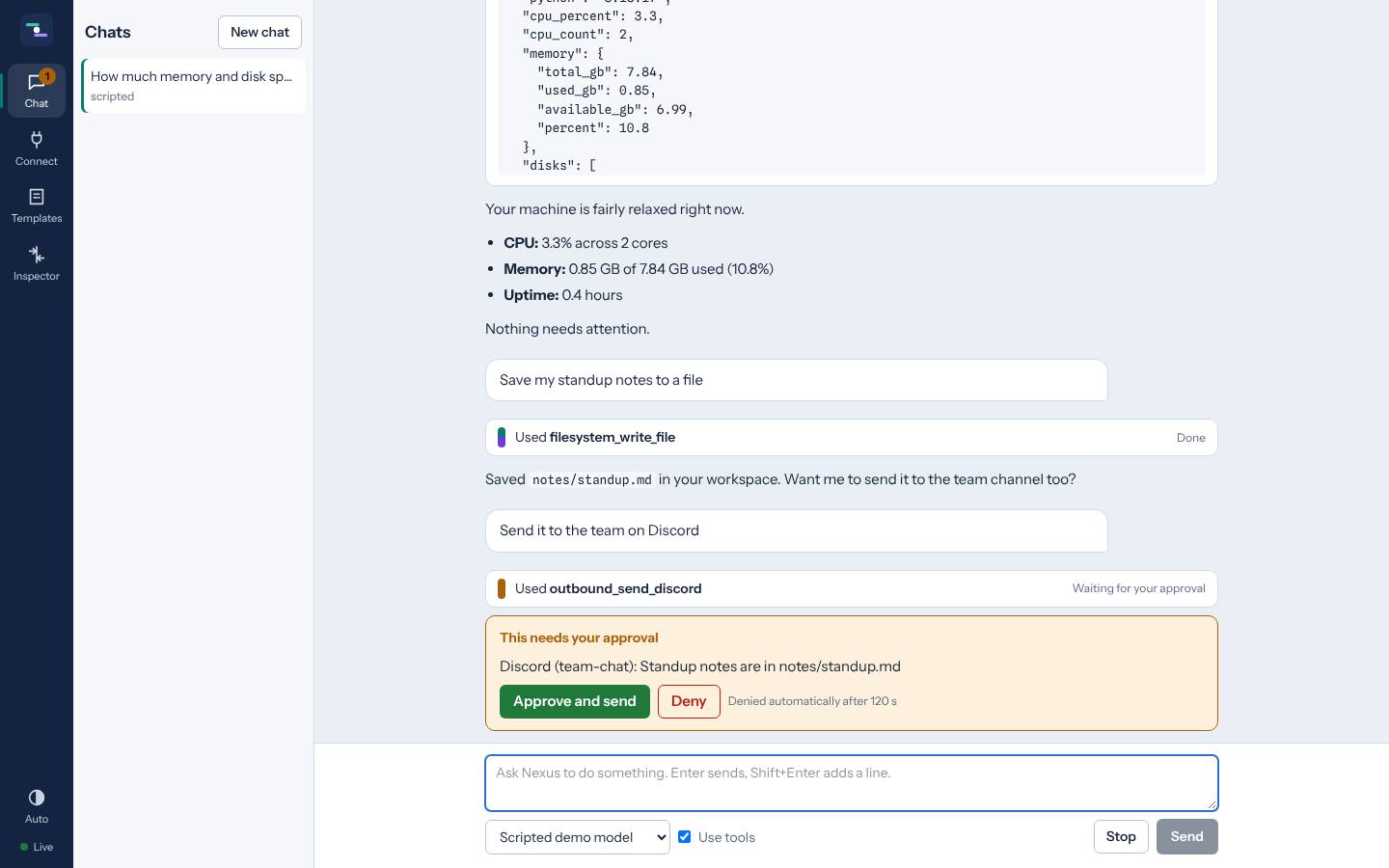
MCP Nexus is a local hub for the Model Context Protocol, the standard way to give AI models tools. You chat with Claude, Gemini, OpenAI or a local Ollama model, give it tools written as plain Python classes, and watch every message between the model’s host and those tools in a live inspector. It runs on your own machine and stores everything in one SQLite file.
Why it exists
Most AI apps hide the protocol. When a tool call fails you get a vague error and no idea what was actually sent. I wanted the opposite: the same tools serving the built-in chat, Claude Desktop and any other MCP client, with every request and reply visible, and nothing leaving the computer without a click.
Finding the idea that made it work
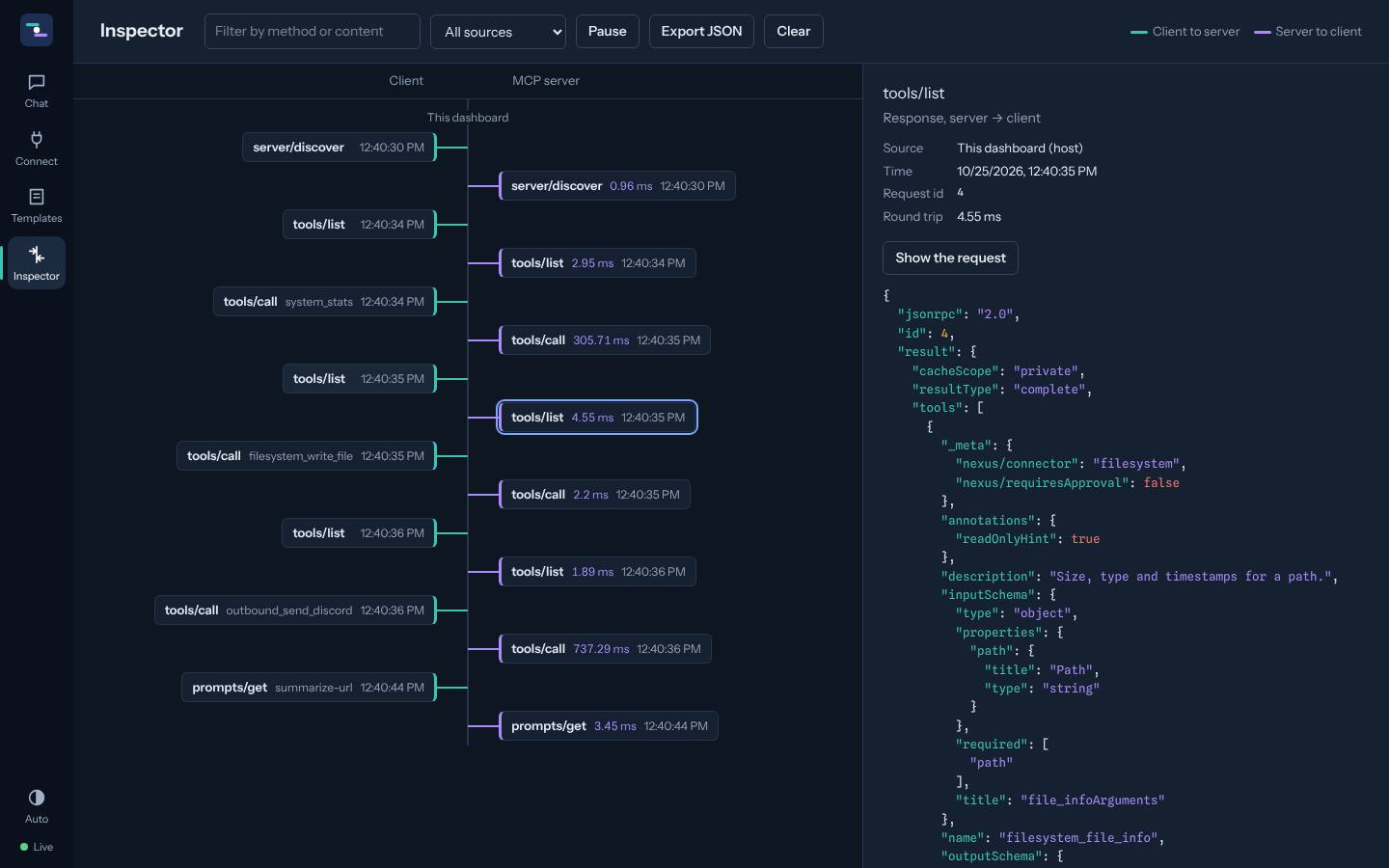
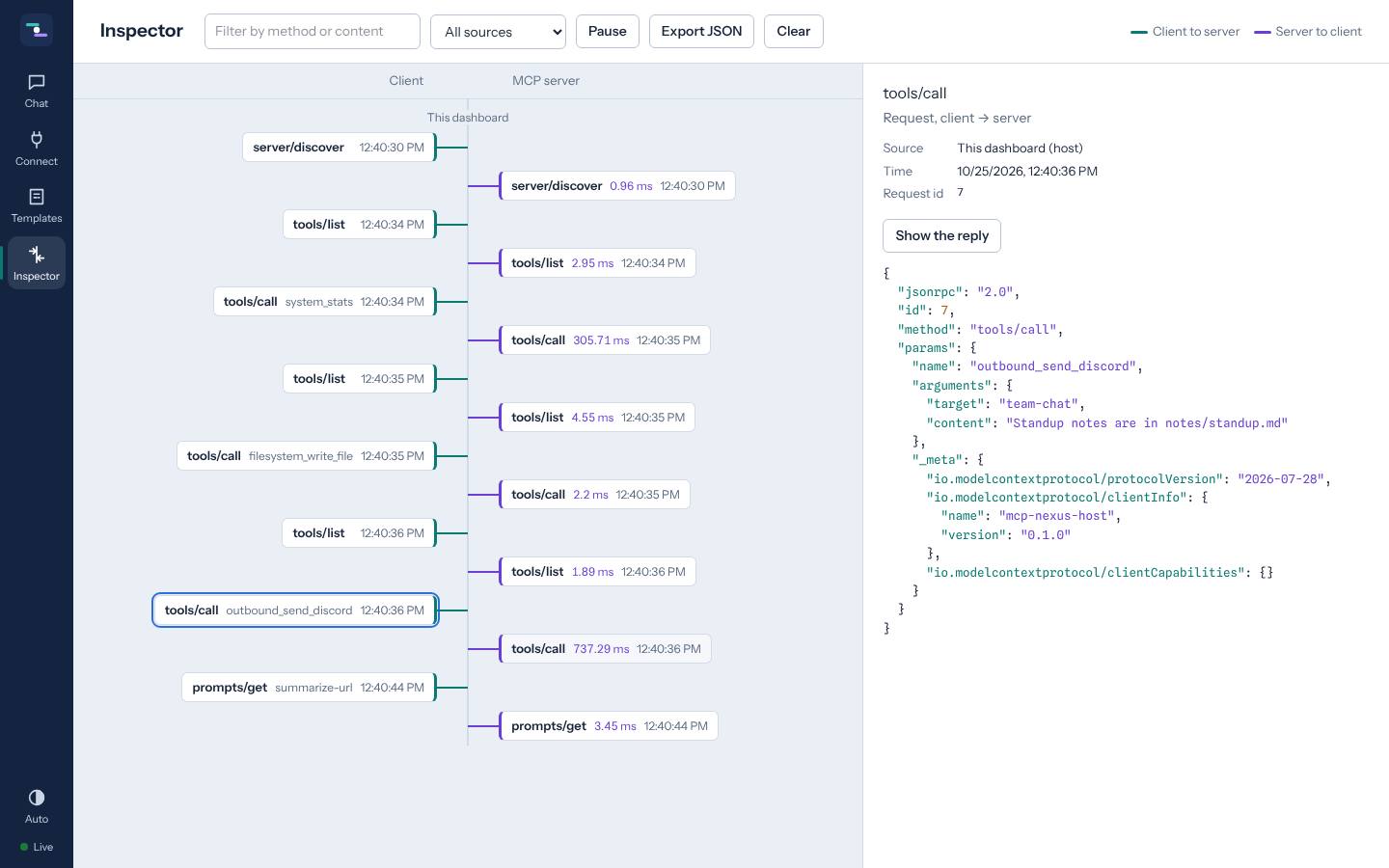
The key decision was making the dashboard a client of its own server. The chat agent never calls connector code directly. It talks MCP, over JSON-RPC, to the same server that Claude Desktop uses. That means the inspector shows what really went over the wire, not a reconstruction.
There was a catch. The official SDK’s in-process client skips JSON-RPC entirely and calls the server directly, so there was nothing to inspect. The fix was a small custom transport made of two memory streams with a relay in the middle. Every message passes through the relay, gets recorded, and continues on its way.
Getting good performance
- The inspector can never slow the protocol down. Events go through a non-blocking bus. If a browser tab falls behind, its oldest events are dropped instead of making tool calls wait.
- Server-sent events instead of WebSockets. Every live stream flows one way, server to browser, so SSE is simpler and enough.
- No frontend build. The dashboard is server-rendered HTML with HTMX and Alpine.js. It loads instantly and there is no Node toolchain to install.
- Fewer dependencies. I planned to use LiteLLM for model routing, but it would not install on Python 3.15. Three small direct adapters (later four, with Gemini) replaced it and removed a large dependency tree.
Getting the style right
The inspector is the part people look at, so it got the most design time. It is a two-lane timeline: requests on one side in teal, replies on the other in violet, pending approvals in amber, each pair joined with its round-trip time. Every screen was checked in light mode, dark mode and on a phone, using screenshots after each change, until nothing overlapped or truncated.
Safety without friction
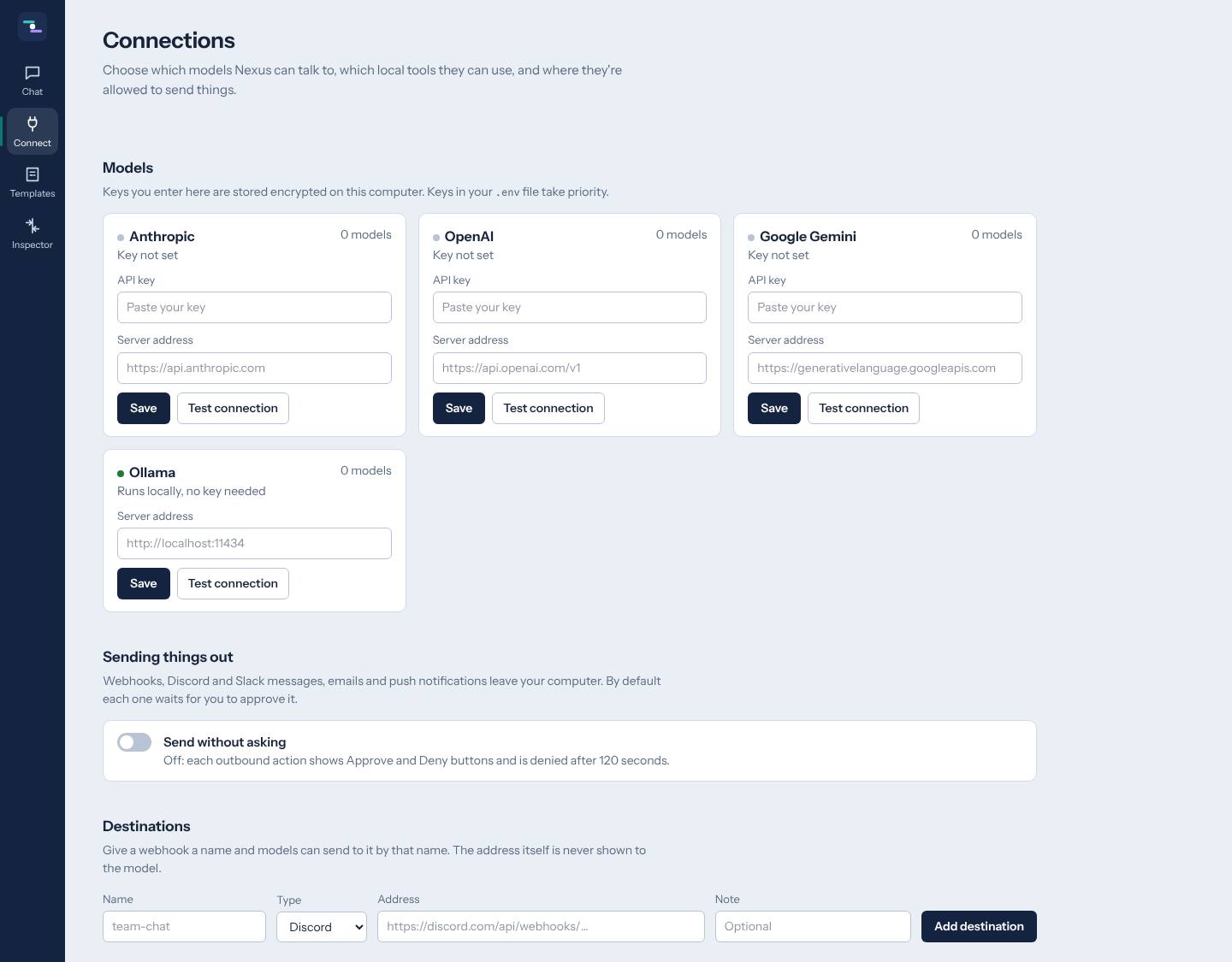
Outbound tools (webhooks, Discord, Slack, email, push notifications) are wrapped by an approval gate that lives in the server, so it also protects requests coming from Claude Desktop. Web fetches are guarded against server-side request forgery, including redirects to localhost. API keys entered in the dashboard are encrypted at rest.
A plugin in under 20 lines
Drop a file into plugins/ and its methods become tools for every connected client:
from nexus.connectors import Connector, tool


class Dice(Connector):
    name = "dice"
    description = "Roll dice"

    @tool()
    async def roll(self, sides: int = 6) -> int:
        """Roll one die with the given number of sides."""
        import random

        return random.randint(1, sides)
Type hints become the JSON Schema and the docstring becomes the tool description.
How it was made
I set the goals, made the architecture calls and designed the interface, and Claude wrote the code with me across five phases, each documented in a development log. The project is MIT licensed on GitHub. If your team needs MCP servers or AI tools wired into its own software, that is something I build.
Screens